
How to use
Paste your answer to one question of a Korean cover letter (자기소개서, jagisogaeseo) into the “Your text” box and four numbers appear. If the posting states the limit in characters (자), read the two large numbers, “Characters” and “Characters (no spaces)”. If it says 바이트 or “byte”, read “Bytes (Korean 2-byte rule)” and “Bytes (UTF-8)” next to them. A character is whatever shows on screen as one character, so each punctuation mark and each space is 1 character too. With several questions, empty the box with “Clear” and paste each answer in separately.
The Korean 2-byte rule
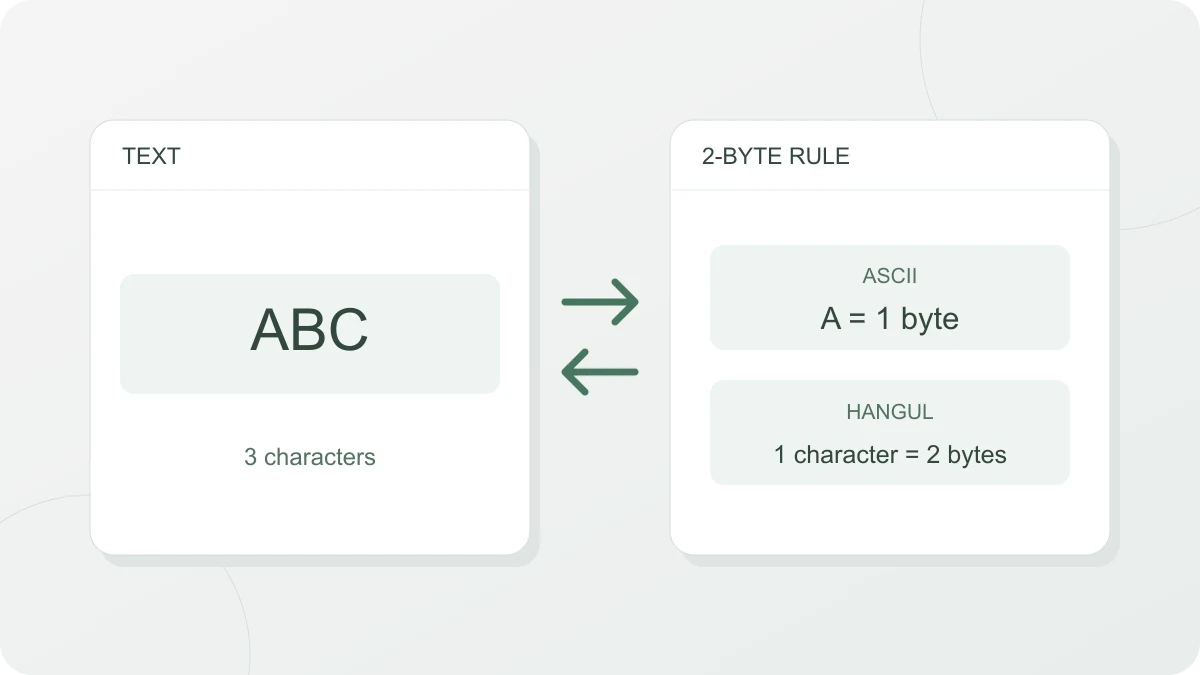
Some Korean job-application sites cap answers by the number of bytes, not the number of characters. ASCII characters such as English letters, digits, spaces and line breaks are 1 byte. Everything else, including Korean letters (Hangul), Chinese characters, special symbols and emoji, is 2 bytes. It is the same arithmetic the older Korean encoding EUC-KR used to store text.
| Character | Korean 2-byte rule | UTF-8 |
|---|---|---|
| English letters, digits, ASCII symbols (A, 1, !) | 1 byte | 1 byte |
| Space, line break | 1 byte | 1 byte |
| Korean (가) | 2 bytes | 3 bytes |
| Chinese character (字) | 2 bytes | 3 bytes |
| Middle dot (·) | 2 bytes | 2 bytes |
| Emoji (😀) | 2 bytes | 4 bytes |
Put as a formula, the count under the Korean 2-byte rule is “ASCII characters + non-ASCII characters × 2”. A character made of a bare consonant, as in ㅋㅋ, is also 2 bytes each.
A worked example
Enter 저는 2024년에 IT 동아리를 만들었습니다. (“I built an IT club in 2024.”) and you get:
| Count | Result | How it adds up |
|---|---|---|
| Characters | 25 | 14 Korean characters + 4 digits + 2 English letters + 4 spaces + 1 period |
| Characters (no spaces) | 21 | 25 minus the 4 spaces |
| Bytes (Korean 2-byte rule) | 39 B | 14 Korean characters × 2 bytes + 11 ASCII characters × 1 byte |
| Bytes (UTF-8) | 53 B | 14 Korean characters × 3 bytes + 11 ASCII characters × 1 byte |
Converting between characters and bytes
Text written only in Korean with no spaces takes twice as many bytes as it has characters, so 1,000 bytes is 500 characters. If the site counts in UTF-8, each Korean character is 3 bytes and the same 1,000 bytes shrinks to 333 characters.
Real sentences mix in spaces, digits and English letters at 1 byte each, so 1,000 bytes holds more than 500 characters when you count with spaces. The example sentence above is 25 characters in 39 bytes, fewer than the 50 bytes that doubling would give. How much more you can fit depends on the text, so skip the estimate and paste in what you have written.
How this differs from real EUC-KR
This counter treats every non-ASCII character as 2 bytes. Real EUC-KR (KS X 1001) holds only 2,350 of the 11,172 possible Hangul syllables, so it has no way to represent some of them, such as 똠 and 햏, and it can’t represent emoji either. The counter gives these characters 2 bytes all the same, but what a site actually does with them varies. They may turn into garbage or be rejected, so it is safer to keep emoji and rare characters out of an application.
A word processor that turns straight quotes (“) into curly quotes (“ ”) also adds bytes. Each quote mark goes from 1 byte to 2, so “안녕” in straight quotes is 6 bytes and “안녕” in curly quotes is 8.
Fitting a byte limit
- Line breaks: this counter treats one line break as 1 byte. On a site that counts a line break as 2 bytes, your total comes out higher by the number of line breaks. A text in four paragraphs has 3 line breaks, so you need 3 bytes to spare, or 6 bytes if you put a blank line between each pair of paragraphs.
- Where to cut: blank lines between paragraphs and doubled spaces can go without touching the content. Swapping a 2-byte symbol such as a middle dot (·) or a curly quote for a comma or a straight quote saves 1 byte per symbol.
- Final check: paste the text into the application form and treat the number shown there as the final word. If it differs from the count here, look first at how the site counts line breaks.