
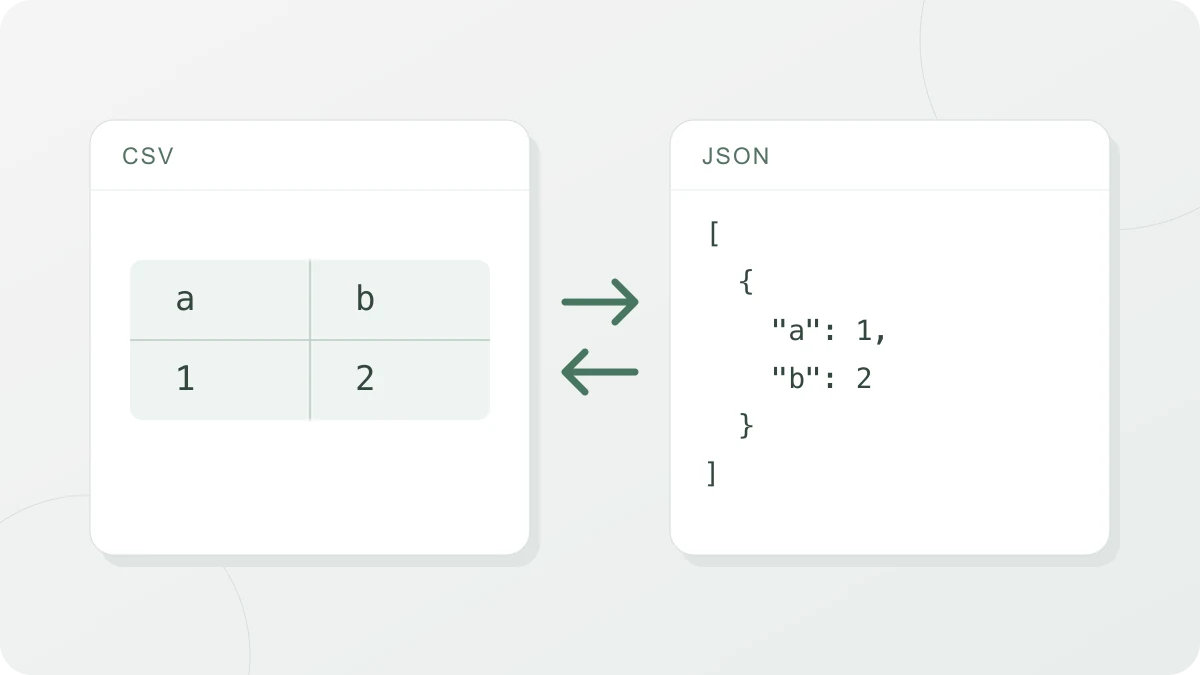
How to use
Pick a direction in the tabs at the top (CSV → JSON or JSON → CSV), then paste your data into the input box or drop a .csv, .tsv, .txt or .json file. When you drop a file, the direction switches to match its extension. The result updates as you type, and you can take it with the copy or download button. Below the result, the first 10 rows (up to 30 columns) appear as a table so you can check at a glance that the columns were split correctly.
For CSV → JSON, you choose whether the first row is a header (the keys). With it on, you get an array of objects such as [{"name":"Kim","age":30}]; with it off, you get an array of arrays such as [["name","age"],["Kim",30]]. Indentation can be 2 spaces, 4 spaces, a tab or a single line.
The first CSV → JSON conversion downloads the papaparse library. JSON → CSV needs no additional conversion library.
CSV format rules (RFC 4180)
CSV comes in many variants, but the most widely cited reference is RFC 4180, published in 2005. Its core rules are:
- Each line is one record, and fields are separated by commas. The first line may or may not be a header.
- A field that contains a comma, a double quote or a line break is wrapped in double quotes, for example
"Seoul, Korea". - A double quote inside a field is written twice:
"say ""hi"""meanssay "hi". - Spaces are part of the field. Leading and trailing spaces aren’t trimmed automatically.
For JSON → CSV, this tool quotes fields by these rules (and also fields that start or end with a space) and ends lines with CRLF as RFC 4180 specifies. For CSV → JSON, if a quote is never closed (the data ends with "abc) or text follows a closing quote ("x"y), you get the approximate line number instead of a result. Rows with a different number of fields than the header are still converted, with a warning that lists their line numbers.
Delimiters other than the comma
Despite the name, many “CSV” files use something other than a comma. Excel saves CSV files with the list separator from the Windows regional settings, and in regions that use a decimal comma, such as Germany, France and Spain, that separator is a semicolon (;) so it doesn’t clash with numbers like 1,5. Tables copied from a database or spreadsheet are often tab-separated (TSV), and log files sometimes use a pipe (|).
With the delimiter set to “Auto-detect”, the tool looks at the first 20 records (within the first 64KB of the input), counts how often the comma, semicolon, tab and pipe appear outside quotes, and picks the one whose count is most consistent from line to line. The detected delimiter is shown under the selector; if it’s wrong, just pick one yourself.
How numbers and true/false are converted
Every field in a CSV is text. With “Convert numbers and true/false” on, only two things change to make the JSON easier to use: true and false (in any letter case) become booleans, and values that match JSON number syntax become numbers. Everything else stays text. That includes +1, .5, a value with a space before or after it, and a cell that says null or yes. In a file whose delimiter isn’t a comma, 1,5 stays text too. In a comma-delimited file, an unquoted 1,5 is split into two cells, 1 and 5, and each becomes a number. -5 becomes a number as well. A value that reads as exponent notation, like 1E5, also becomes a number (100000), so turn the option off if your data has codes like that.
Some values are deliberately left alone. Values with a leading zero (postal code 01234, code 007) would lose that zero as numbers, so they stay text. A decimal that starts with a single 0, like 0.5, does become a number. Values that JavaScript numbers can’t represent exactly, meaning integers above 9007199254740991 (2^53 − 1) and decimals with more than 15 significant digits, also stay text so their value never changes silently. Empty fields become an empty string (“”), not null.
How nested JSON is flattened into CSV
A CSV is a flat table, so it can’t hold nested JSON as is. This tool flattens it with these rules:
- Nested objects become dot-notation keys:
{"address":{"city":"Seoul"}}→ columnaddress.city - Arrays aren’t flattened; they go into one cell as JSON text:
["a","b"] - null becomes an empty cell, and an empty object becomes
{}. - The columns are all keys from all objects, in the order they first appear. A key missing from an object leaves an empty cell.
The usual input is an array of objects. A single object becomes a one-row table, and in an array of arrays each inner array becomes one row as is. If an original key already contains a dot ("a.b"), it can clash with a flattened key inside the same object. When they clash, only the value written later in that object is kept: {"a":{"b":1},"a.b":2} puts 2 in the a.b cell, and with the two keys in the opposite order it holds 1.
One entry of the outermost array always makes exactly one row, whatever it contains. [{"id":1,"items":[{"sku":"A"},{"sku":"B"}]}] gives a single row under the header id,items, so to get one row per entry of items, enter just the inner array, [{"sku":"A"},{"sku":"B"}]. Putting a CSV made this way back through CSV → JSON doesn’t rebuild the original structure: items comes back as a string holding that text rather than an array, and a column like address.city stays a single key named "address.city" instead of a nested object.
Garbled Korean or Japanese in Excel (BOM)
When you double-click a CSV saved as UTF-8 to open it in Excel, Korean, Japanese or accented text can turn into unreadable characters. Excel reads the file as UTF-8 if it starts with a BOM (Byte Order Mark, the bytes EF BB BF in UTF-8), but without one it falls back to the computer’s default encoding. In JSON → CSV, “Add UTF-8 BOM for Excel” puts a BOM at the start of the file you get from the download button (data.csv, or data.tsv if the delimiter is “Tab”) to prevent this. The option is on by default. Text you take with the copy button never includes the BOM. The BOM is added only to the downloaded file, so the text in the result box has no BOM even with the option on. If you already have a file that was saved without a BOM, you don’t need to convert it again: instead of double-clicking it, bring it in through Excel’s Data → From Text/CSV.
A few programs read the BOM as part of the first header, so if the file is going somewhere other than Excel, it’s safer to leave the option off. In the other direction, CSV → JSON automatically strips a BOM at the start of a file or input.